Fonts Keyboard Themes & Emoji
Simple Design Ltd.Personalization
4.73.77K Reviews
- Version
- 1.0.58
- Installs
- 50.00M
- Age Rating
- Everyone
Screenshots
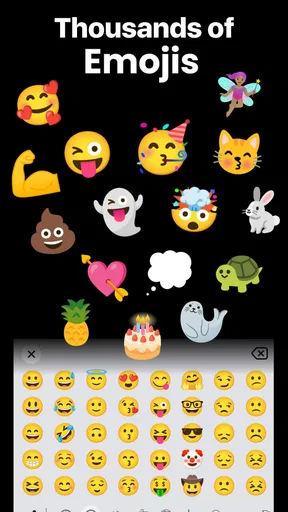
Our Review of Fonts Keyboard Themes & Emoji
 Analysis by Appyee
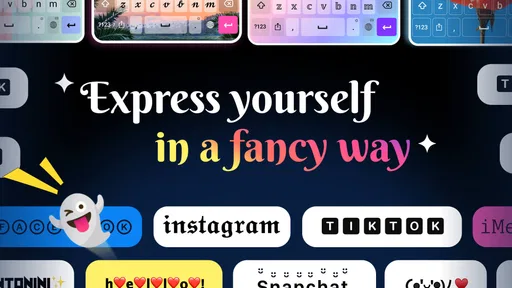
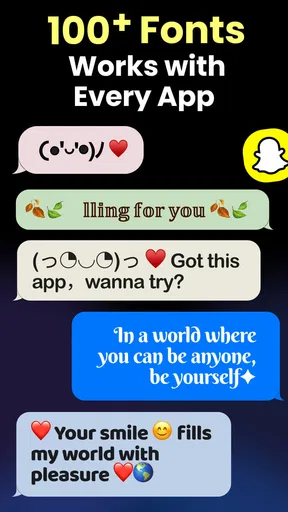
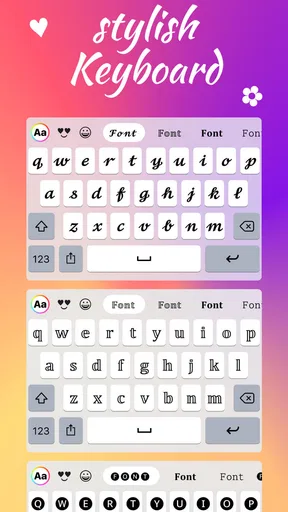
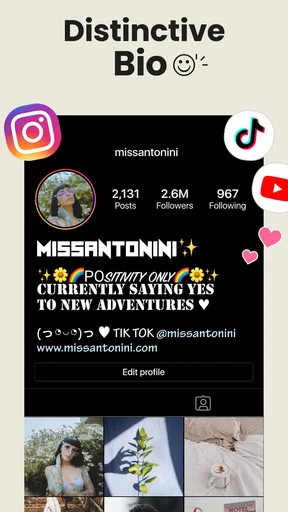
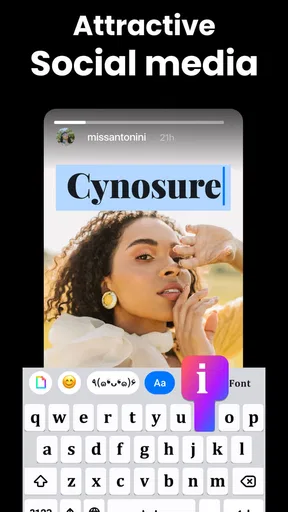
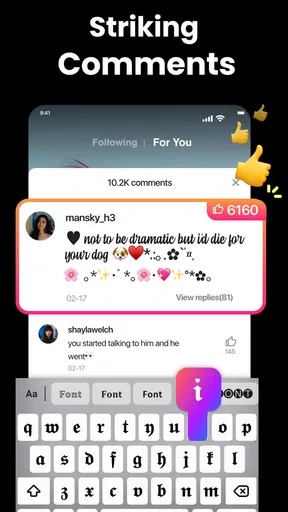
Fonts Keyboard Themes & Emoji caught my attention for a simple reason: it changes the feel of ordinary messages without asking me to redesign my phone. Instead of opening a separate font website, copying decorated text, and switching back to the app where I want to post, I can bring its keyboard into the writing process. That makes it especially appealing for Instagram captions, TikTok comments, chats, bios, and short status updates where presentation matters almost as much as the words.
After spending time with it, my opinion is more measured than the first impression. The novelty is immediate, and the keyboard is easy to understand, but the real question is whether unusual lettering and extra symbols remain useful once the excitement wears off. In my experience, this is a good personalization app when I treat it as a small creative tool rather than a replacement for my normal keyboard. Its lasting value depends on how often you actually publish or message in a style-conscious way.
From an exciting first week to a more selective habit
The first week is where this app makes its strongest case. The idea is familiar, but the convenience is different from using a normal font generator. I can stay in the conversation or social app, open the keyboard, choose a style, and continue typing. That shorter path encourages experimentation. I found myself testing decorative letters for a profile line, trying symbols around a short caption, and using emojis to make a plain reply feel less flat.
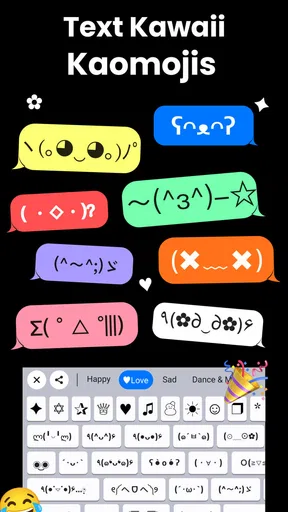
The app is built around more than one type of decoration. It combines font styles, emojis, and symbols, so the useful choice is not only “which font looks best?” but also “how much decoration does this message need?” A clean alternate alphabet can make a heading stand out, while a few symbols may work better for a list or a short announcement. That range is important because a heavily decorated paragraph quickly becomes tiring to read.
One practical strength is speed. When I used a separate font generator, the process usually involved leaving the app, finding a style, copying text, returning, and pasting. A keyboard-based workflow reduces those interruptions. That does not make every style better, but it makes small changes realistic during everyday writing. If I am replying quickly to a friend, I can add one visual touch without turning the message into a project.
The keyboard also suits people who post in more than one place. Someone managing a personal profile, a small creator account, or several social channels may want a recognizable visual tone without editing images every time. Fonts Keyboard Themes & Emoji can help with that kind of lightweight consistency. I would not call it a full branding system, but it can support a simple habit such as using one alternate style for headings and ordinary text for everything else.
Its appeal is not limited to public posts. I found symbols useful for separating short notes, marking choices in a group chat, or making a reminder easier to scan. Emojis are the more natural option for casual conversations, while stylized text is better reserved for emphasis. This distinction sounds obvious, yet it prevents the common mistake of applying a decorative font to every sentence.
The app comes from Simple Design Ltd. and sits in the personalization category. It is free to install, with optional purchases listed from $0.25 to $12.99 per item. That makes trying it fairly low-risk, especially if I only need the basic experience. Still, I would approach the paid options as optional decoration rather than something essential to ordinary typing. The free starting point is enough to decide whether the workflow belongs in my routine.
What makes the keyboard more useful than a novelty generator
The most important difference is timing. A generator is useful when I already know exactly what I want to copy. A keyboard is more useful when I am composing and want to make a decision as I go. That distinction matters for spontaneous posts. I can write the sentence first, then decide whether a font, emoji, or symbol improves it instead of planning the whole message around a visual effect.
I also prefer using it in layers. My first layer is the message in ordinary text. My second layer is a small adjustment: perhaps a styled opening phrase, a divider, or one expressive emoji. This workflow keeps the content readable and gives the decoration a purpose. It is a better long-term approach than selecting the most elaborate style simply because it looks impressive in the preview.
A less obvious use is preparing reusable patterns for recurring posts. For example, I might use the same symbol arrangement for weekly recommendations or the same style for a short profile label. The value here is not the individual font; it is reducing the number of tiny formatting decisions I make each time. The app becomes more useful when it supports a repeatable format instead of encouraging endless browsing.
There is also a social consideration. Decorative characters can look different across apps, devices, and fonts. Even when the text appears correctly, some styles may be harder for screen readers, search tools, or quick scanning. I would therefore avoid using stylized letters for important instructions, contact details, or anything someone must search later. For public captions, a little decoration is usually safer than converting the entire message.
How the experience changes after the first month
After the initial curiosity fades, I stop opening every style category. I return to a small group of choices that match the way I write. This is where the app either earns a permanent place or becomes something I remove. For me, its ongoing usefulness comes from quick access to familiar accents, not from discovering a new design every day.
The month-to-month benefit is strongest for people with recurring social activity. If I regularly write captions, comments, profile descriptions, or themed messages, the keyboard can save enough small steps to feel worthwhile. It is also handy during events, trips, celebrations, or group conversations where emojis and symbols help establish a mood quickly. These are modest gains, but they repeat often.
For someone who mostly writes work emails, long notes, or plain text messages, the value drops sharply. In those situations, the standard keyboard is usually faster, clearer, and less distracting. Fonts Keyboard Themes & Emoji is not trying to solve typing accuracy, document editing, or serious productivity. Its role is expressive personalization, and it is best judged on that narrower purpose.
The app has a 4.7 average from around 486 thousand ratings, with more than 50 million installs. Those figures suggest that the concept has broad appeal, but they do not decide whether it belongs on my phone. A popular personalization tool can still be unnecessary for a person who rarely posts or who prefers a minimal keyboard. I see the numbers as evidence that the use case is common, not as a reason to overlook individual preferences.
One useful long-term test is to ask whether I use it without deliberately remembering to use it. If I only open the keyboard when showing it to someone, the novelty has probably won. If I naturally reach for it when writing a caption or formatting a short announcement, it has become part of my workflow. That test is more revealing than how impressive the first few styles look.
Maintenance is light, but not completely invisible
A keyboard app creates a small amount of ongoing responsibility. I need to remember that it is an input method, not merely a sticker or editing tool. Switching between keyboards can interrupt fast typing, and I prefer to keep my regular keyboard available for longer messages. The best routine for me is to use Fonts Keyboard Themes & Emoji for short expressive writing, then return to the standard option when speed and predictability matter more.
Keeping the experience manageable also means resisting too many styles. If I constantly browse through fonts, the selection becomes a distraction rather than a shortcut. I get better results by choosing a few dependable options and ignoring the rest unless I have a specific occasion in mind. This is one of the app’s hidden trade-offs: abundance feels generous at first, but a large creative menu can add decision fatigue.
It is worth checking the keyboard setting carefully during setup and making sure I understand when it is active. I would not enable any keyboard casually, because a keyboard handles what I type. That is not a criticism unique to this app; it is a sensible habit with every third-party keyboard. Users who are uncomfortable with that arrangement may prefer a standalone font-copying tool, even though it takes more steps.
Compatibility is another reason to keep expectations realistic. Stylized text is not the same as a visual image, so the receiving app still has to display the characters properly. If a particular font looks awkward in one social network or becomes difficult to read on another device, I would switch back to ordinary letters rather than forcing the style. The keyboard gives me options, but it cannot guarantee that every destination will present them identically.
The app supports Android devices running version 6.0 or later, which covers a wide range of phones. Its current version is 1.0.58. For my purposes, the more important maintenance question is not the version number but whether the app remains comfortable alongside my normal keyboard and social apps. A personalization tool earns its place when it stays out of the way until I need it.
Where the novelty starts to create fatigue
The first source of fatigue is visual excess. A font that looks playful in a preview can become difficult to read when used across a full paragraph. I found that decorative styles work best for a title, a name, or a short phrase. They are less convincing for instructions, detailed explanations, or conversations where the reader should focus on meaning rather than appearance.
The second is inconsistency. If I use a different font every time I post, the result can feel random instead of personal. That is why I recommend choosing a small visual vocabulary. One style for emphasis, one set of symbols for separation, and ordinary text for the body is usually enough. This approach also makes the app feel less like a toy and more like a practical formatting shortcut.
Another point of friction is the gap between social media presentation and everyday communication. A decorated caption may fit a creative account, but the same treatment can feel awkward in a family group or a serious discussion. I would skip the stylized keyboard when clarity, accessibility, or professionalism is the priority. The app is strongest when the audience expects personality and visual play.
Purchases can also affect how I evaluate the experience. Because the app is free with optional in-app items, I can try the concept before spending anything. That is positive, but I would avoid buying styles impulsively during the first burst of enthusiasm. Waiting until I know which formats I use repeatedly is a better way to decide whether a paid item adds lasting value or only extends a short-lived novelty.
Finally, there is the simple issue of keyboard switching. If I am writing a long message, correcting a lot of text, or entering information where accuracy matters, my usual keyboard may remain the better choice. Fonts Keyboard Themes & Emoji does not need to replace it to be useful. Treating the two as complementary tools prevents the app from becoming annoying.
Who should keep it, and who should choose another approach
I would recommend keeping this app if you post frequently, enjoy customizing captions, or want quick access to symbols and expressive text without leaving the current app. It is particularly suitable for short-form social writing, profile decoration, themed messages, and casual conversations where visual tone matters. People who like experimenting but do not want to edit images may find the keyboard format convenient.
I would be more cautious if I mainly use my phone for plain messaging, work, study, or long-form writing. The ordinary keyboard will usually be more efficient, and a standalone generator may be enough for the occasional decorated phrase. Users who want deep control over typography, full design layouts, or image-based text should look toward a design app instead. This tool is deliberately lighter and faster than those alternatives.
Compared with copying text from a website, the keyboard wins on immediacy. Compared with a standard keyboard, it wins on expressive choices but loses some simplicity. Compared with a graphic editor, it wins on speed but cannot offer the same control over layout or visual composition. That is the clearest way to understand its place: it is a middle option for people who want more personality than plain typing, without turning every post into a design task.
The age rating is Everyone, which fits the straightforward personalization purpose. I would still make choices based on context rather than age alone, especially when deciding whether a style is readable or appropriate for a particular audience. The app can make a message look friendlier, but it cannot replace judgment about what the message needs to communicate.
My long-term verdict on Fonts Keyboard Themes & Emoji
Fonts Keyboard Themes & Emoji earns lasting space on my phone only when I use it selectively. Its best quality is not the sheer number of decorative possibilities; it is the reduced friction between having an idea and adding a little visual character to it. For captions, short announcements, profile text, and playful chats, that convenience is real.
At the same time, I would not leave it as my only keyboard or use stylized text by default. The app becomes less appealing when every message looks decorated, when browsing styles takes longer than writing, or when readability matters more than personality. A small, repeatable system works better than constant experimentation.
My recommendation is to install it if you want a free way to explore fonts, emojis, and symbols directly while composing. Use the first week to identify the handful of options you genuinely like, then judge it over the following month by how often those choices save time or improve a post. If they become part of your routine, the app has earned its place. If not, the standard keyboard or an occasional copy-and-paste generator will probably serve you better.
In short, this is a focused personalization app with a strong first impression and a reasonable chance of becoming a useful habit. Its long-term success depends on restraint. Used as a quick accent rather than a permanent costume for every sentence, it adds personality without demanding much maintenance.
Verdict
Strengths of Fonts Keyboard Themes & Emoji
- Large collection of stylish fonts, symbols, and decorative text options.
- Custom keyboard themes make typing feel more personal and visually appealing.
- Emoji and symbol shortcuts help create eye-catching social media posts.
- Easy to switch between standard typing and decorative font styles.
- Works well for bios, captions, messages, and profile customization.
Limitations of Fonts Keyboard Themes & Emoji
- Some fonts may not display correctly on older devices or certain apps.
- Many premium styles and themes require a subscription or in-app purchase.
- Decorative text can be difficult to read in longer messages.
- The keyboard may request broad access permissions that concern privacy-minded users.
- Frequent ads can interrupt browsing and font customization on the free version.
Other Releases by Simple Design Ltd.
View All
Video Downloader - Downloader
Video Players & Editors4.7

Image to PDF - PDF Maker
Productivity4.9

Document Reader - PDF Editor
Productivity4.7

PDF Reader - PDF Editor
Productivity4.6
Similar Picks in This Category
View All
Microsoft SwiftKey AI Keyboard
SwiftKey4.3

Wallpapers
Google LLC4.1

Zedge™ Wallpapers & Ringtones
Zedge4.7

Yandex Browser with Alice AI
Direct Cursus Computer Systems Trading LLC4.3

Ringtone Maker:create ringtone
Big Bang Inc.4.7

Fonts Keyboard
Fonts Keyboard3.9
Frequently Asked Questions
What is Fonts Keyboard Themes & Emoji, and what can I do with it?
Fonts Keyboard Themes & Emoji is a customization keyboard app that lets you type with different font styles, decorative symbols, themed keyboard designs, and emoji combinations. After enabling it in your device settings, you can use its keyboard in messaging apps, social networks, notes, and other text fields. The available tools may vary depending on your device and the app version.
How do I install and activate Fonts Keyboard Themes & Emoji?
After downloading the app, open it and follow the setup instructions to enable the keyboard in your phone’s language and keyboard settings. You may also need to select it as the active input method before using its fonts, themes, and emoji features. Android and iOS may display different permission screens, so read each prompt carefully and disable the keyboard whenever you no longer want to use it.
Does Fonts Keyboard Themes & Emoji work in all apps and social networks?
The keyboard generally works in most applications that accept standard text input, including messaging services, social media platforms, email, and note-taking apps. However, special characters and decorative fonts may appear differently depending on the receiving app, operating system, or device. Some platforms can replace unsupported symbols, while certain fields, such as passwords or banking forms, may restrict third-party keyboards.
Is Fonts Keyboard Themes & Emoji free to use?
The app can usually be downloaded and used with a selection of free fonts, themes, and emoji tools, but additional content may be offered through advertising, subscriptions, or in-app purchases. Before confirming any purchase, check the store listing and the app’s payment screen for current pricing and renewal terms. Availability of free features and premium packages can change after updates.
Is it safe to use a third-party keyboard like Fonts Keyboard Themes & Emoji?
Because a keyboard can technically process the text you type, including sensitive information, privacy should be considered before enabling it. Avoid entering passwords, financial details, or private messages with any unfamiliar keyboard, and review the permissions and privacy policy first. Download the app only from an official store, keep it updated, and remove access if its behavior or requested permissions seem unnecessary.
